Building a personal site like I actually care about security
I have spent the past few days in my off-time working on rebuilding this website, this post is about my journey, and why I chose to build it the way I did.
The old version was fine. It was built on Next.js with Material UI, Font Awesome, and the usual assortment of npm packages you inherit when you spin up a standard frontend project. It worked, but it sat there collecting dust on a VPS I was already running, just eating up idle compute.
Then the recent wave of software supply chain attacks hit. When you spend as long a career as I have had focused on Security and Systems, you start looking at your own small footprints differently. Every third-party dependency is a liability. Every database is something you have to patch, back up, and secure against SQL injection.
I decided to nuke the old site and build something new. The goal was seemingly easy: no database, git as the content store, modernized performance using Next.js 16 and React 19, and a security posture that relies on zero extra runtime dependencies. I wanted to see if I could build a dynamic, admin-editable site using purely native Node 24 APIs and the Web Crypto API.
This is the architecture of that rebuild, and the reasoning behind it.
The Architecture: Git is the database
I do not have a database. I do not want one. For a personal site, a database is an unnecessary attack surface and a bottleneck for page speed.
Instead, the site is split across two private GitHub repositories: an app repo for the code and a content repo for the data. All content lives in that second repo. Blog posts are flat Markdown files. Everything else, the homepage layout, project lists, my resume, and the user access lists, lives as structured JSON.
This means git is my database. It gives me version control, audit trails, and backups out of the box for free.
The site caches everything by default. Public pages are static and prerendered. When a user hits a page, they are hitting pre-rendered static HTML. It's fast and lightweight, with no database queries to stall the request.
The Content Pipeline: Bi-directional GitOps
Because the content lives in a separate repo, I needed a way to update the site without running a full CI/CD deployment every time I fix a stupid semi-colon in a code block, or a comma that myself and Grammarly both missed. The pipeline works in both directions.
Inbound (Updating Content from my IDE)
When I push a commit from my local machine to the private content repo, GitHub fires a webhook at the production site. The site verifies the payload signature using a secure HMAC check. If it passes, the app pulls the new commits into a mounted content directory on the server.
Instead of purging the entire site cache, the app handles directed cache invalidation. It figures out exactly which files changed in that commit and nukes only those specific pages. The rest of the static cache stays intact.
Outbound (The Admin UI)
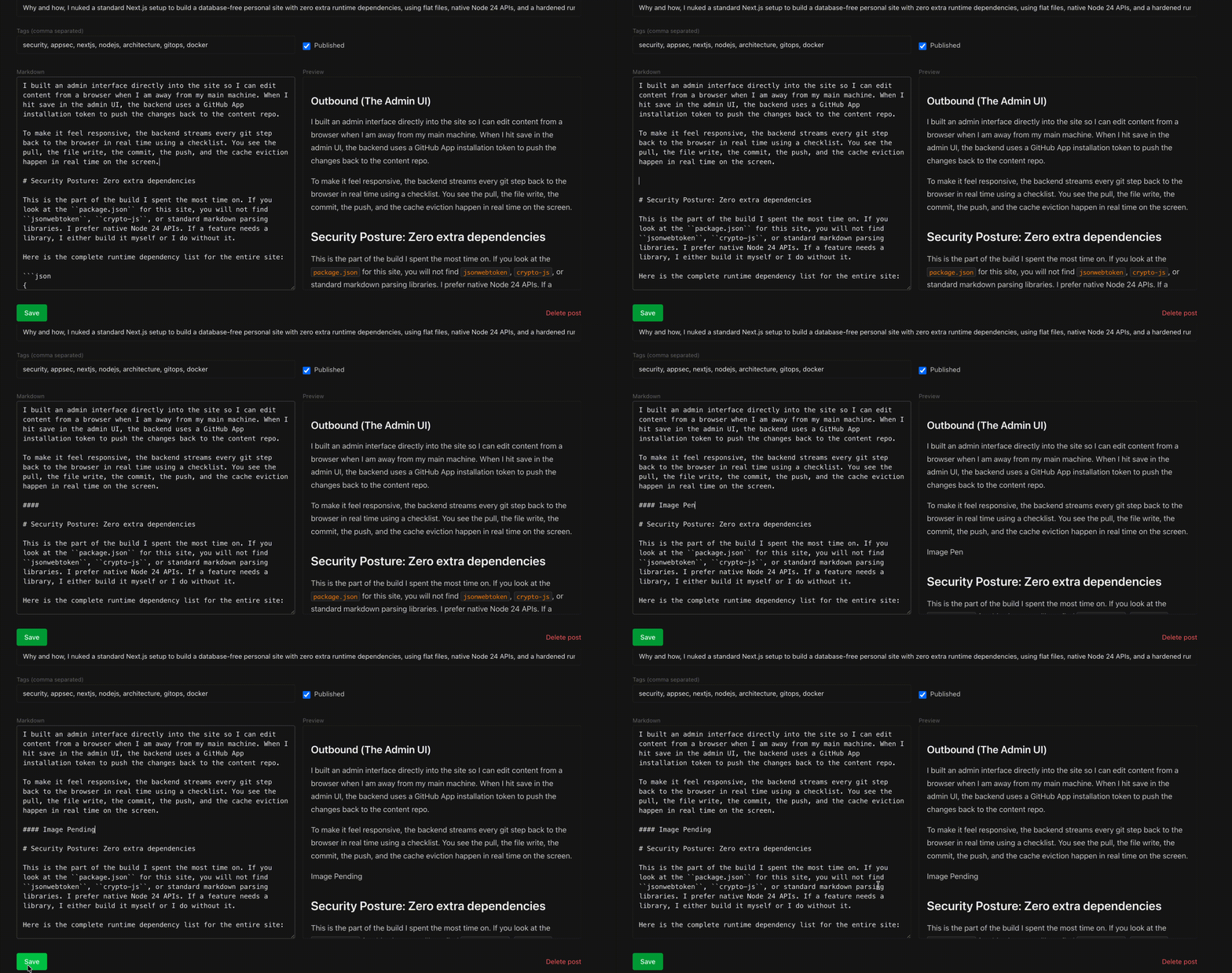
I built an admin interface directly into the site so I can edit content from a browser when I am away from my main machine. When I hit save in the admin UI, the backend uses a GitHub App installation token to push the changes back to the content repo.
To make it feel responsive, the backend streams every git step back to the browser in real time using a checklist. You see the pull, the file write, the commit, the push, and the cache eviction happen in real time on the screen.
Security Posture: Zero extra dependencies
This is the part of the build I spent the most time on. If you look at the package.json for this site, you will not find jsonwebtoken, crypto-js, or standard markdown parsing libraries. I prefer native Node 24 APIs. If a feature needs a library, I either build it myself or I do without it.
Here is the complete runtime dependency list for the entire site:
{
  "dependencies": {
    "next": "16.2.9",
    "react": "19.2.7",
    "react-dom": "19.2.7"
  }
}
That is it. The framework, and nothing else.
Rolling raw cryptography
All cryptographic operations use the native Web Crypto API (crypto.subtle). My session cookies are sealed using AES-256-GCM. The webhook signature verification uses native HMAC. The JWT used to authenticate a GitHub App uses RS256, calculated entirely with native tools.
import { createPrivateKey } from 'node:crypto';

const b64u = (b: Buffer | string) => Buffer.from(b).toString('base64url');

async function sessionKey() {
    const raw = Buffer.from(process.env.SESSION_SECRET!, 'base64'); // 32 bytes
    return crypto.subtle.importKey('raw', raw, { name: 'AES-GCM' }, false, ['encrypt', 'decrypt']);
}

async function seal(data: object, ttlSec: number) {
    const iv = crypto.getRandomValues(new Uint8Array(12));
    const body = Buffer.from(JSON.stringify({ ...data, exp: Math.floor(Date.now() / 1000) + ttlSec }));
    const ct = await crypto.subtle.encrypt({ name: 'AES-GCM', iv }, await sessionKey(), body);
    return `v1.${b64u(Buffer.from(iv))}.${b64u(Buffer.from(ct))}`;
}

async function verifyGithubSig(secret: string, rawBody: Buffer, header: string | null) {
    if (!header?.startsWith('sha256=')) return false;
    const hex = header.slice(7);
    if (!/^[0-9a-f]{64}$/.test(hex)) return false;
    const key = await crypto.subtle.importKey('raw', Buffer.from(secret), { name: 'HMAC', hash: 'SHA-256' }, false, ['verify']);
    return crypto.subtle.verify('HMAC', key, Buffer.from(hex, 'hex'), Buffer.from(rawBody));
}

async function appJwt() {
    const pem = Buffer.from(process.env.GH_APP_PRIVATE_KEY!, 'base64').toString();
    const der = createPrivateKey(pem).export({ type: 'pkcs8', format: 'der' });
    const key = await crypto.subtle.importKey('pkcs8', der, { name: 'RSASSA-PKCS1-v1_5', hash: 'SHA-256' }, false, ['sign']);

    const now = Math.floor(Date.now() / 1000);
    const head = b64u(JSON.stringify({ alg: 'RS256', typ: 'JWT' }));
    const body = b64u(JSON.stringify({ iat: now - 60, exp: now + 540, iss: process.env.GH_APP_ID! }));
    const sig = await crypto.subtle.sign('RSASSA-PKCS1-v1_5', key, Buffer.from(`${head}.${body}`));
    return `${head}.${body}.${b64u(Buffer.from(sig))}`;
}
The hand-written Markdown compiler
Using a popular markdown parser plus a separate HTML sanitizer felt like introducing too much attack surface. Those libraries are massive, and they suffer from regular XSS and regular expression denial of service (ReDoS) vulnerabilities.
I wrote my own markdown renderer from scratch. It is tight and restrictive. It escapes everything by default, runs an explicit allowlist for URL schemes, and absolutely no raw HTML is allowed to pass through. To keep myself honest, I worked with Claude and wrote a 39-case XSS regression test suite that runs against the compiler before any code changes go live.
Hardening the Runtime Environment
A secure application running in a wide-open container is still vulnerable. The infrastructure and runtime environment had to match the code posture.
Path traversal and symlink defenses
When you resolve file paths from a URL slug, you open yourself up to directory traversal attacks. I tackled this with a strict multi-layer defense. First, incoming slugs must match a rigid whitelist regex. Then, I use path.resolve and explicitly assert that the resulting path remains inside the content root directory. If it tries to peek outside, the application fails closed immediately.
When opening files, I pass the O_NOFOLLOW flag to the native file system calls. This makes it so that if an attacker somehow manages to create a malicious symlink in the content repository, the application will refuse to follow it, preventing them from reading arbitrary files from the container filesystem.
import { constants } from 'node:fs';
import { open, realpath } from 'node:fs/promises';
import path from 'node:path';

const SLUG_RE = /^[a-zA-Z0-9-_]+$/;
const EXT_RE = /\.(md|json)$/;
const contentRoot = () => path.resolve(process.env.CONTENT_DIR || '/content');

function safePath(...parts: string[]) {
    const root = contentRoot();
    for (const part of parts)
        if (!SLUG_RE.test(part.replace(EXT_RE, ''))) throw new Error('rejected path segment');
    const resolved = path.resolve(root, ...parts);
    if (resolved !== root && !resolved.startsWith(root + path.sep)) throw new Error('path escaped content root');
    return resolved;
}

async function openInRoot(p: string, flags: number) {
    const realRoot = await realpath(contentRoot());
    const realDir = await realpath(path.dirname(p));
    if (realDir !== realRoot && !realDir.startsWith(realRoot + path.sep)) throw new Error('parent escaped content root');
    return open(p, flags | constants.O_NOFOLLOW);
}

async function readPost(slug: string) {
    const fh = await openInRoot(safePath('blog', `${slug}.md`), constants.O_RDONLY);
    try {
        if (!(await fh.stat()).isFile()) throw new Error('not a regular file');
        return fh.readFile('utf8');
    } finally {
        await fh.close();
    }
}
Isolating Git execution
The admin UI has to run git commands on the server. Running raw shell strings through exec is a recipe for command injection. Instead, git only ever runs via child_process.spawn using explicit argument arrays.
Furthermore, the working directory is locked down tightly to the content folder. When authenticating those git commands against GitHub, the authentication token never touches the command line arguments. Why? Because on Linux systems, /proc/<pid>/cmdline is world-readable by any process running on the system. If you pass a token as an argument, you leak it. I pass the token in safely via a temporary GIT_CONFIG environment var array inside the spawn options.
import { spawn } from 'node:child_process';
import path from 'node:path';

const root = () => path.resolve(process.env.CONTENT_DIR || '/content');

function configEnv(pairs: [string, string][]) {
    const env: NodeJS.ProcessEnv = { ...process.env, GIT_TERMINAL_PROMPT: '0' };
    let n = parseInt(env.GIT_CONFIG_COUNT || '0', 10) || 0;
    for (const [k, v] of pairs) {
        env[`GIT_CONFIG_KEY_${n}`] = k;
        env[`GIT_CONFIG_VALUE_${n}`] = v;
        n++;
    }
    env.GIT_CONFIG_COUNT = String(n);
    return env;
}

function run(args: string[], cfg: [string, string][] = []) {
    return new Promise<{ code: number; stdout: string; stderr: string }>((resolve, reject) => {
        const child = spawn('git', args, { cwd: root(), env: configEnv(cfg), stdio: ['ignore', 'pipe', 'pipe'] });
        let stdout = '', stderr = '';
        const timer = setTimeout(() => { child.kill('SIGKILL'); reject(new Error(`git ${args[0]} timed out`)); }, 60_000);
        child.stdout.on('data', (d) => (stdout += d));
        child.stderr.on('data', (d) => (stderr += d));
        child.on('error', (err) => { clearTimeout(timer); reject(err); });
        child.on('close', (code) => { clearTimeout(timer); resolve({ code: code ?? -1, stdout, stderr }); });
    });
}

function authCfg(token: string): [string, string][] {
    const basic = Buffer.from(`x-access-token:${token}`).toString('base64');
    return [['http.https://github.com/.extraheader', `Authorization: Basic ${basic}`]];
}

async function push(token: string) {
    return run(['push', 'origin', 'main'], authCfg(token));
}
The Container
The runtime image is built on a hardened base. It contains no shell (no sh, no bash) and no package manager. It runs completely rootless as a non-root user, and the root filesystem is mounted as read-only. The directory where the content repo is cloned is the only persistent writable mount on the entire system.
The container runs on my existing VPS behind an nginx reverse proxy handled by LetsEncrypt's certbot for TLS. I assigned the container a static IP on the internal Docker network. This ensures nginx always knows exactly where to find it, even across hard redeploys.
For CI/CD, cutting a new GitHub release triggers a workflow that runs the full test suite, builds the image, pushes it to a private registry, then opens an encrypted and authenticated connection to the server to pull the new image and swap the container.
The Admin Tooling and Hostile Browsers
The admin area contains five custom in-browser editors:
- A post editor with a live markdown split-screen preview.
- A homepage configuration editor.
- A projects portfolio manager.
- A validated JSON resume editor that updates a live sidebar outline as you type.
- An admin user and RBAC role editor.
All five editors funnel their payloads into the same streaming git-save pipeline.
The backend architecture treats the browser as completely hostile. I do not blindly spread or save incoming payloads. Every saved object is taken apart and rebuilt field by field on the server. If a payload contains unexpected fields, they are ignored. URL inputs are validated and forced to safe http or https schemes before they can ever drop into an href attribute on the frontend.
Authentication is simple: a manual Discord OAuth flow implemented without a library. The Discord ID gets read back server-side from Discord's own API during the token exchange, so it cannot be spoofed, then sealed into an encrypted, HttpOnly, Secure, SameSite=Strict cookie the user cannot tamper with. Anyone can sign in, but roles are resolved from the flat-file system at that moment. No roles, no access. And if you are editing the roles file, you better be the root operator.
Simple is sustainable
The final round of polish on the site was removing visual dependencies. I did a refinement pass with a clean hamburger navigation menu for small screens and tidied up the footer layout so it's fully responsive across all screen sizes.
While looking at the final build, I noticed the social icons were still pulling in baggage. I nuked them and inlined the raw SVG path data directly into the components. No icon library, no extra network requests, no unexpected tracking scripts. Just pure, lightweight markup.
Building a site this way takes more effort upfront than installing an off-the-shelf framework and piling on fifty npm packages to handle the mess. But the result is a footprint that is incredibly fast, cheap to run, and easy to reason about from a security perspective. It feels good to know exactly what every line of code on your server is doing.
End Result
The end result is something that makes me proud. As seen in the below image, when passed through a CVE and Vulnerability scanner ( this tool scans for Compliancy AND known CVE's ) it comes through as Clean, vs the old version of the site that has quite a few issues despite being kept up to date within it's React version.

Code Releases
I have decided to use Claude, and have it split my code out for the Markdown, and the GitOps so that it can be used by others. They are available at the below repositories.